
HTTPS certificate authenticates a website’s identity and enables an encrypted connection. Configuring HTTPS certificates in Director Console help you establish a secure connection between your browser and your Logpoint server. The certificate details include the issuing authorities, validity of certificates and domain name server (DNS).
We recommend you use unexpired certificate and key files.
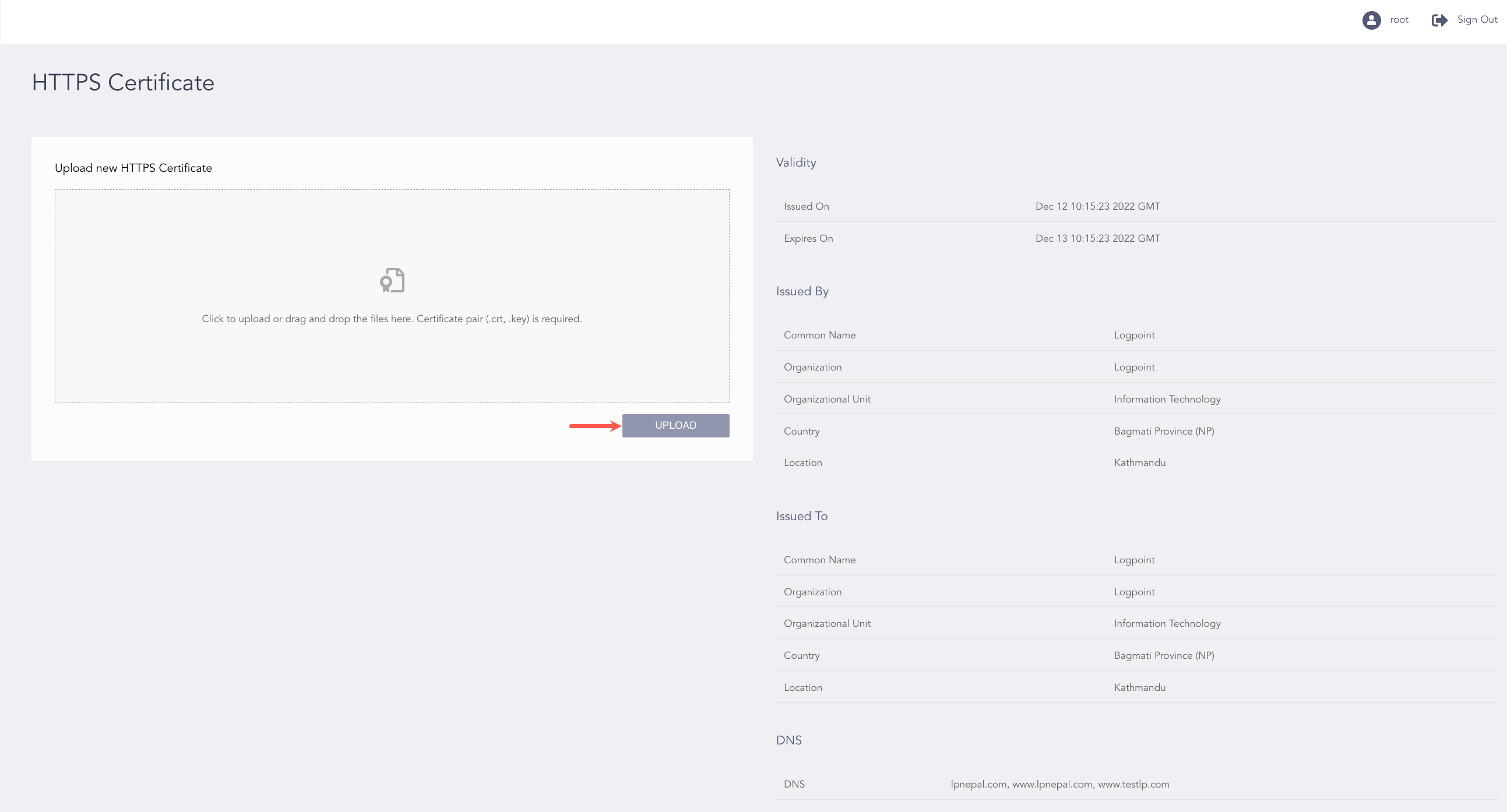
Configuring HTTPS Certificate
Log in as the root user.
Go to SETTINGS from the navigation bar and click HTTPS CERTIFICATE.
Use Click to upload or drag and drop the files here to browse to the .crt and .key files. You need to upload a valid pair of .crt and .key files, as the .key file should be able to decrypt the .crt file.
Click UPLOAD.
On the right, you can view the details of the HTTPS certificate used by Director Console. To update the existing HTTPS Certificate and key, reload the browser after reuploading the .crt and .key files.